
How to Use the Lesson Plan Feature on Olareport: A Step-by-Step Guide

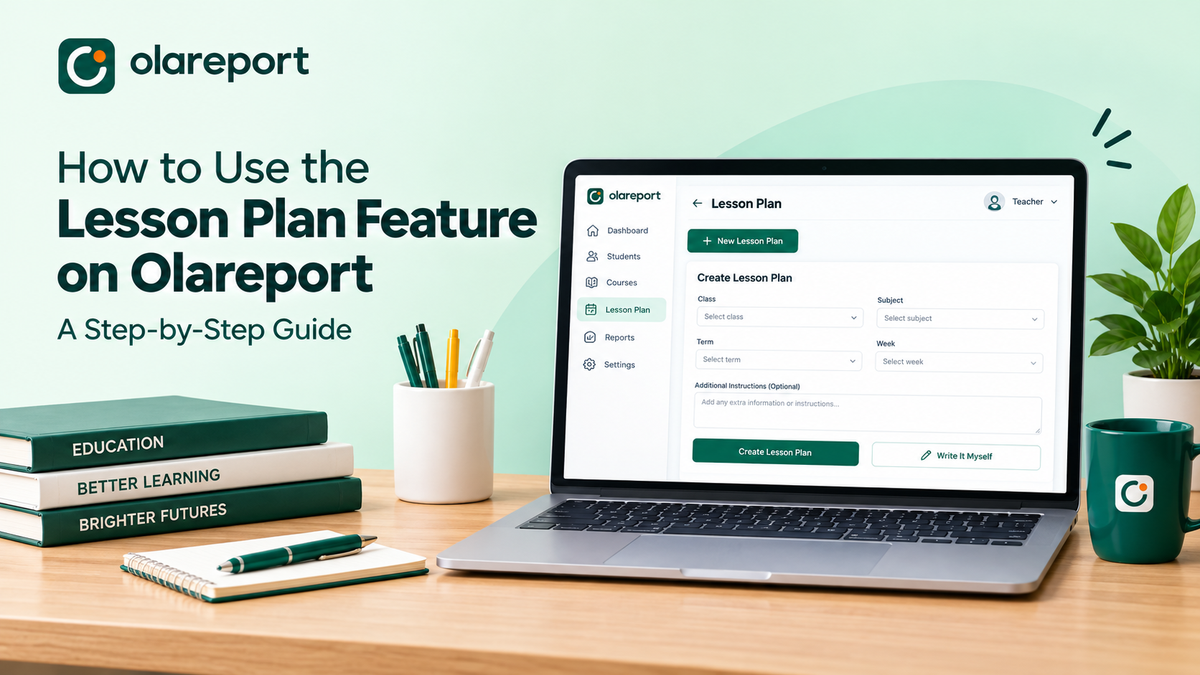
Creating lesson plans is an essential part of effective teaching, but preparing them manually can take valuable time away from other teaching responsibilities. With Olareport, teachers can simplify the process and organise their lesson plans in one place.
Whether you want to create a lesson plan with the available tools or prefer to write one yourself, Olareport gives you the flexibility to get started.
Here is a step-by-step guide to using the Lesson Plan feature on Olareport.
Step 1: Navigate to Lesson Plan
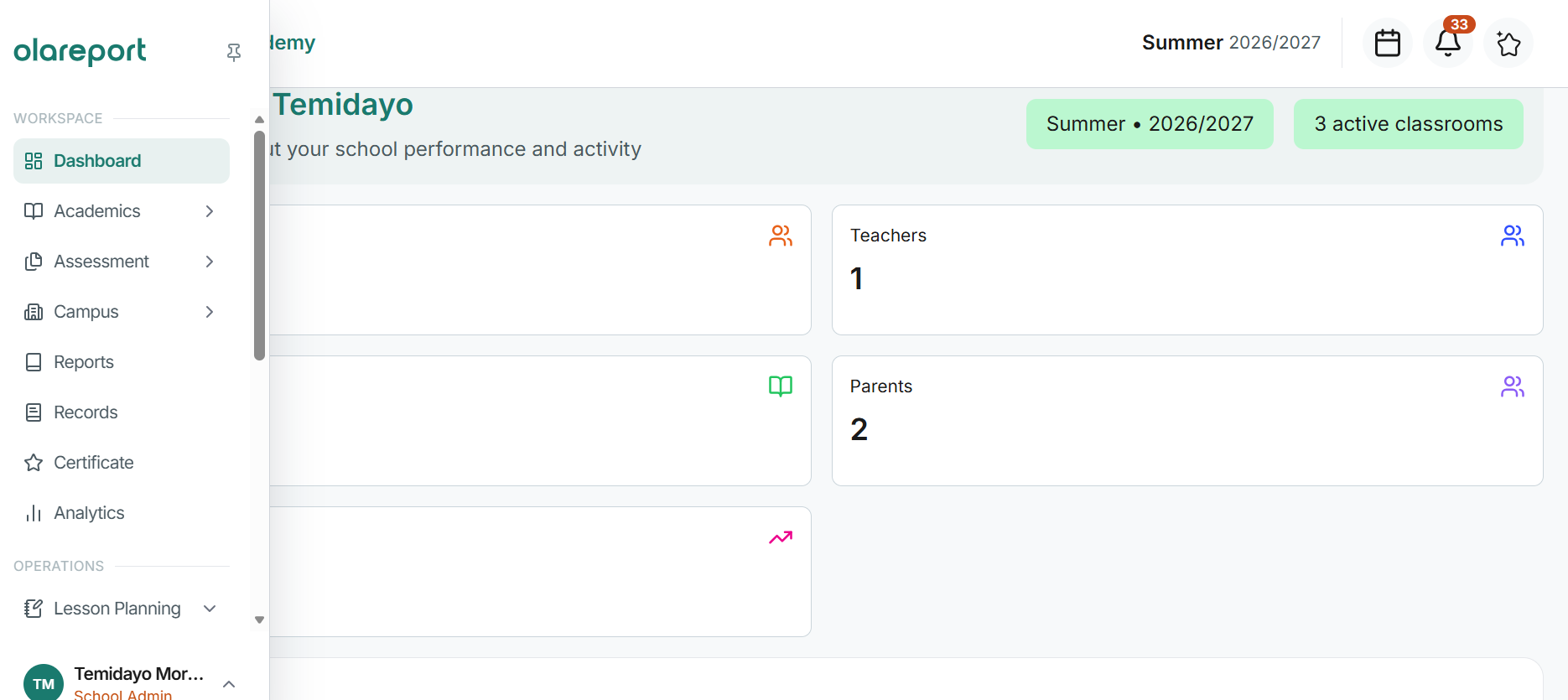
Log in to your Olareport account. On the left-hand side of your screen, locate and click on Lesson Plan. Then, click on Lesson Plan from the available options to access the lesson planning section.
Step 2: Click on New Lesson Plan
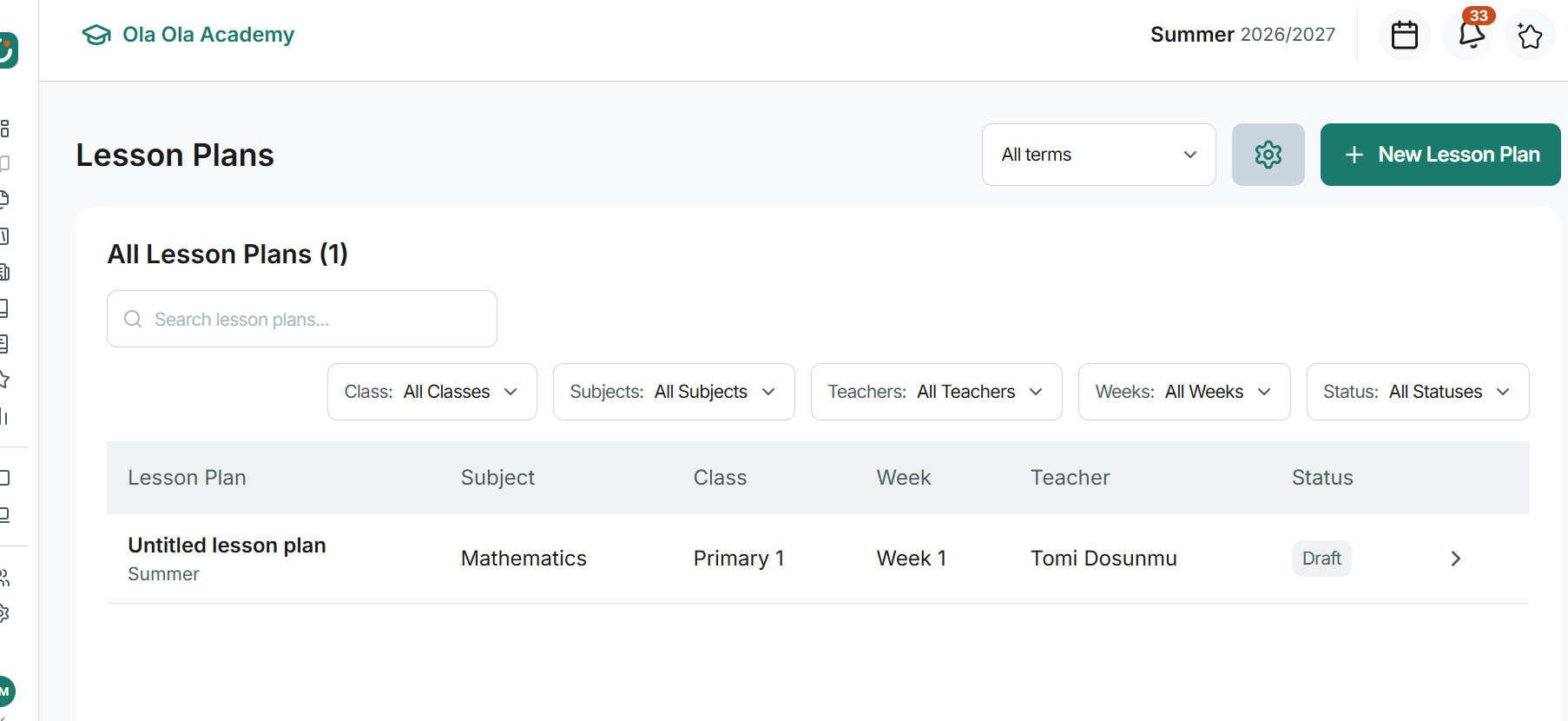
Once you are on the Lesson Plan page, click on New Lesson Plan to begin creating a new lesson plan.
A new page will open, allowing you to provide the details needed to prepare your lesson plan.
Step 3: Fill in Your Lesson Plan Details
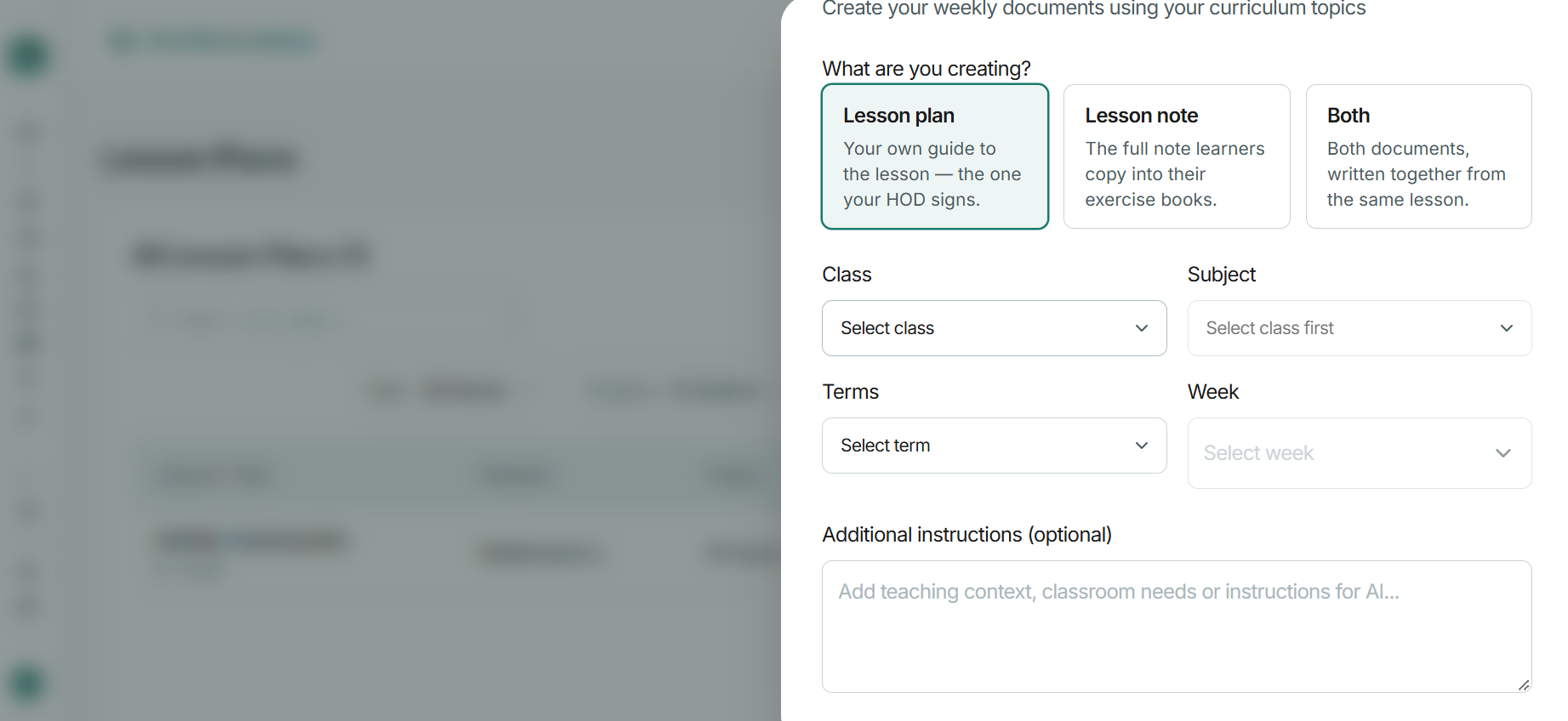
On the new page, you will need to select the following information:
- Class: Select the class you are preparing the lesson plan for.
- Subject: Choose the subject you intend to teach.
- Term: Select the relevant academic term.
- Week: Choose the week for which you are preparing the lesson plan.
- Additional Instructions (Optional): Include any extra information or instructions you want the lesson plan to consider.
Ensure that you select the correct class, subject, term, and week before proceeding.
Step 4: Click on Create Lesson Plan
After filling in the required details, click on Create Lesson Plan to proceed.
At this stage, you can explore the available options for preparing your lesson plan, depending on how you prefer to work.
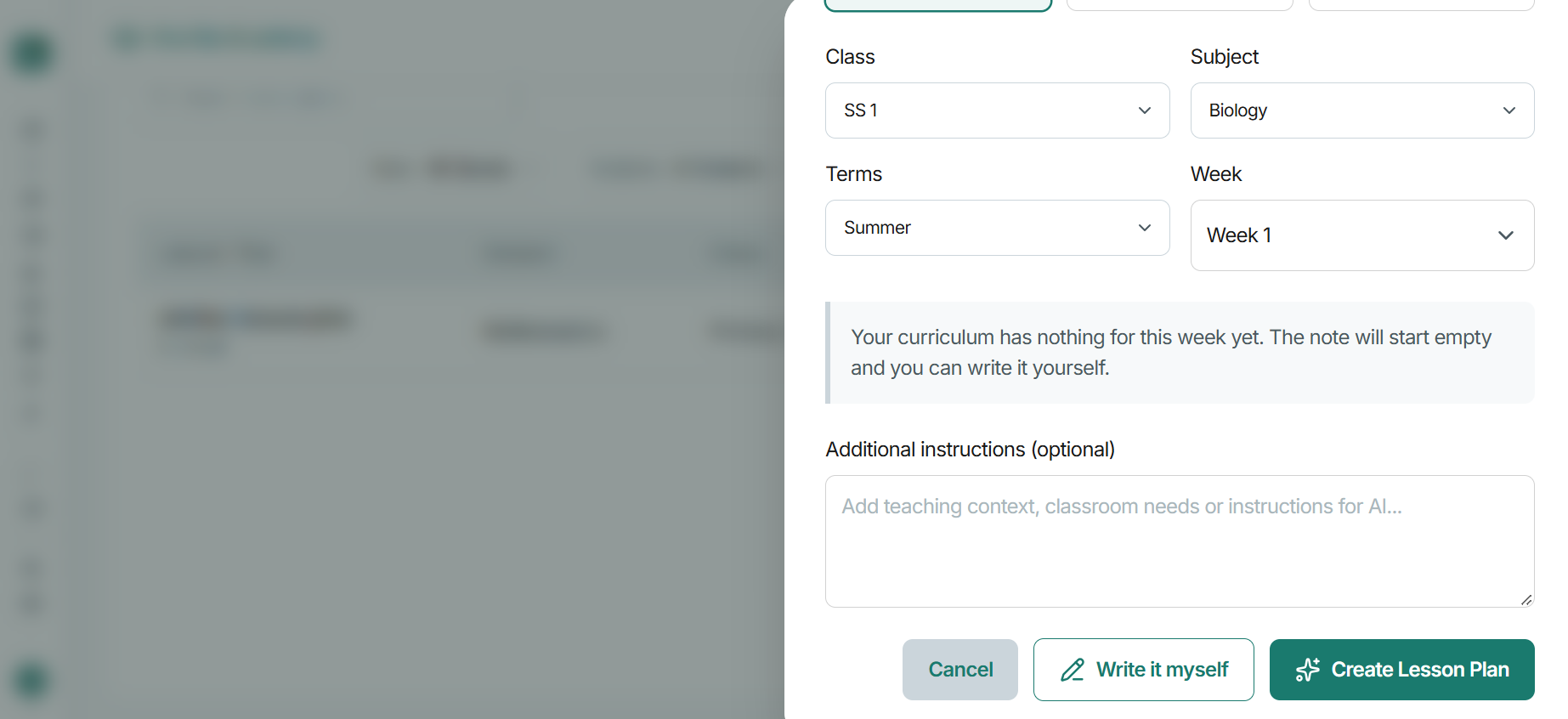
Step 5: Choose “Write It Myself” If You Prefer Manual Entry
Olareport also provides a Write It Myself option for teachers who prefer to prepare their lesson plans manually.
If you already have a lesson structure in mind or prefer to write your own teaching content, select this option to create your lesson plan yourself.
This gives you the flexibility to prepare your lesson according to your preferred teaching approach and the specific needs of your students.
Make Lesson Planning Easier with Olareport
Effective lesson planning helps teachers stay organised, structure classroom activities, and prepare for productive learning experiences.
With Olareport, you can access the Lesson Plan feature, select the relevant academic details, and choose how you want to prepare your lesson plan.
Spend less time navigating your planning process and more time focusing on what matters most: helping your students learn.
Ready to simplify your school's academic operations?
Discover how Olareport can help your school manage its academic processes on one connected platform.
Book a demo today


 Download App
